Card Skin Guide
Everything you need to know about card skins — what they are, how to create one, and how to manage your skins after they're live.
What is a card skin?
A card skin is alternate art for an existing Runes card. It changes how the card looks in your collection and during gameplay — but it is not the card itself.
Buying a skin does not give you the original card. You can only equip a skin if you already own a copy of the card it applies to.
Skins are purely cosmetic — they don't change a card's stats or gameplay effects in any way.
Example: Stumpy Goat Herder
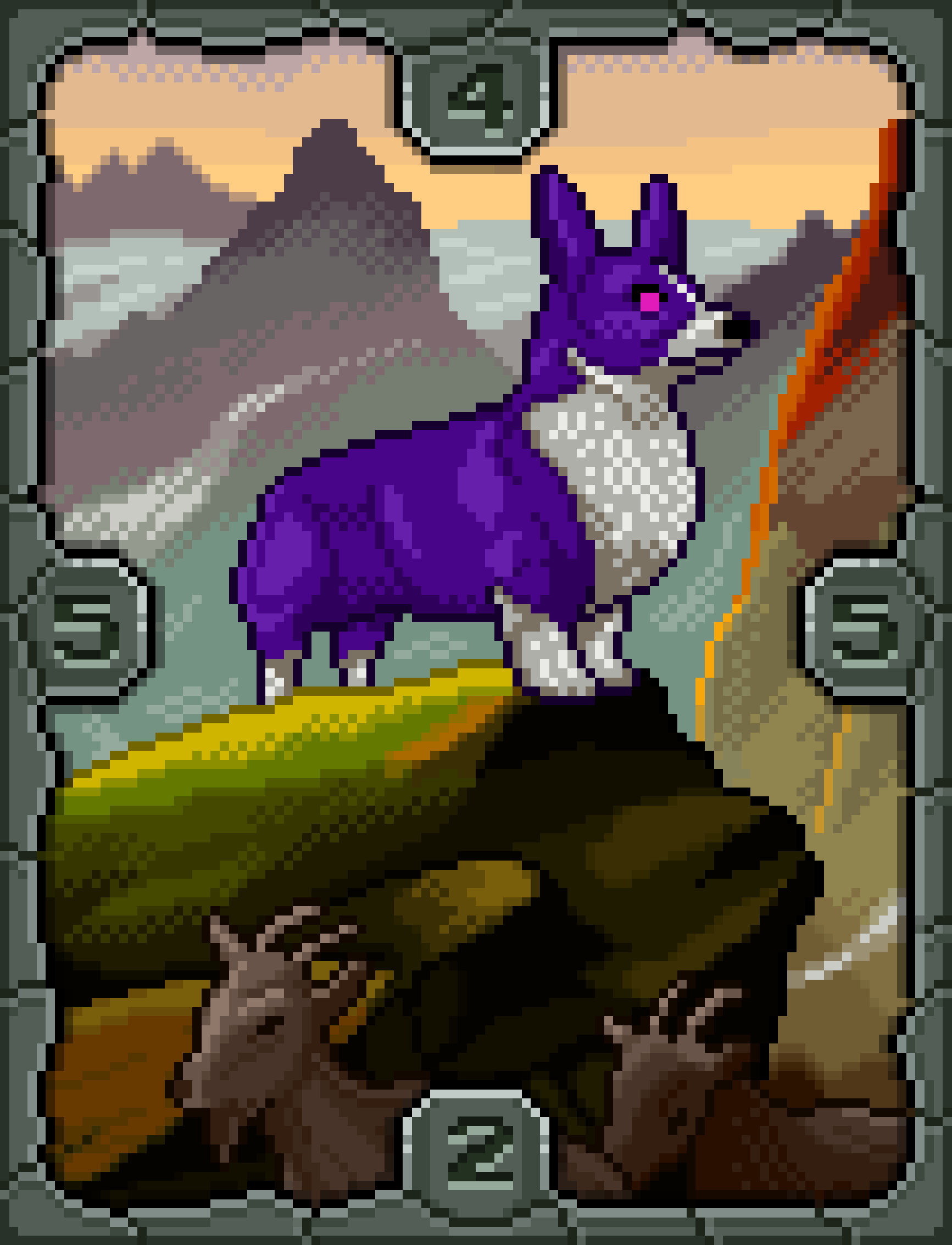 Original Card
→
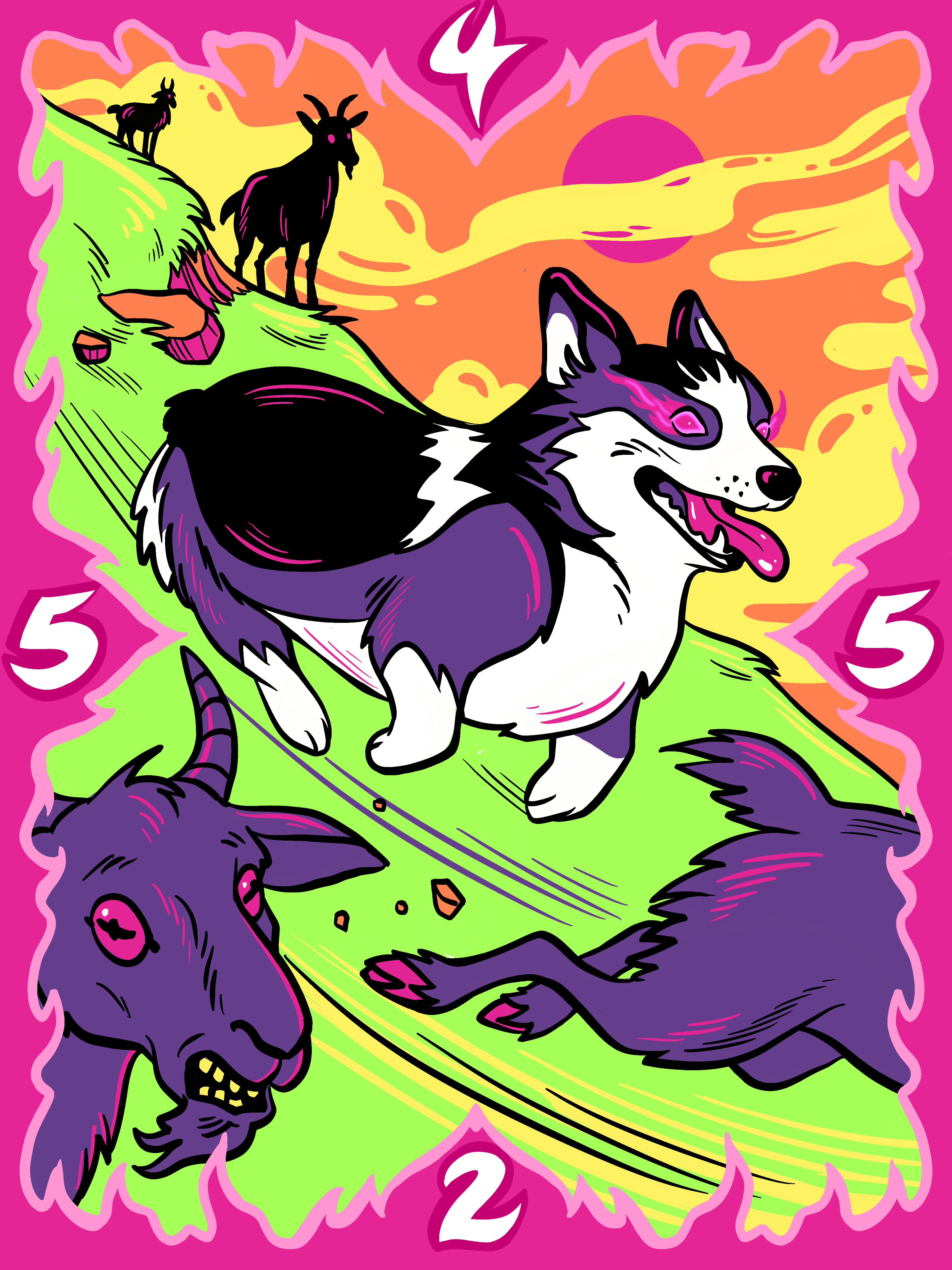 Card Skin
For Artists
Anyone can submit art for a card skin. You don't need to own the card or be part of a special program — just bring your creativity.
When someone purchases your skin, you earn 90% of the sale price. Runes TCG receives the remaining 10%.
You set the price, total supply, and sale duration — and you can change these at any time after your skin is approved.
How to Submit a Skin
Create Your Art
Design alternate art for any Runes card. Your image must be 3:4 portrait aspect ratio, between 800px and 4000px wide. The card numbers must be clearly visible and legible for gameplay. No NSFW content.
Upload Your Image
Head to Skins → Submit Skin and upload your artwork. You'll see a preview of how it looks before proceeding.
Fill In the Details
Choose which card your skin applies to, set your artist name, write a description, and configure supply, pricing, and sale duration.
Pay the Submission Fee
A small one-time submission fee (paid in RON) is required to submit for review. This fee is refunded if your submission is denied.
Submit for Review
Confirm your submission — it's now in the review queue.
The Review Process
Every skin submission is reviewed by the Runes team before it goes live. Here's what we look for:
The art visually represents the card it's meant to be a skin for
Card numbers are clearly visible and legible for gameplay
No NSFW, offensive, or copyrighted content
Image meets the format requirements (3:4, 800–4000px wide)
Approved — Your skin is minted on-chain and goes live on the marketplace. Your creator-reserve copies are minted to your wallet.
✕Denied — You'll see the reason on the My Skins page, and your submission fee is refunded. You're welcome to revise and resubmit.
Managing Your Skin
Once your skin is approved and live, you can manage it from the My Skins page. As the skin owner, you can:
Enable or disable sales at any time
Change the mint price
Adjust the total supply (can't go below already-minted count)
Set or extend the sale duration
Update the proceeds wallet address
Transfer ownership to another wallet (irreversible)
For Collectors
Browse available skins on the Marketplace or the Gallery. Each listing shows which original card the skin applies to, so you know exactly what you're getting.
After purchasing a skin, you can equip it in the deck builder or lobby card selection — as long as you own the original card it applies to.
Remember: buying a skin supports the artist directly — 90% of every sale goes to the creator.